

Features
From Case Overload
to Complete Control
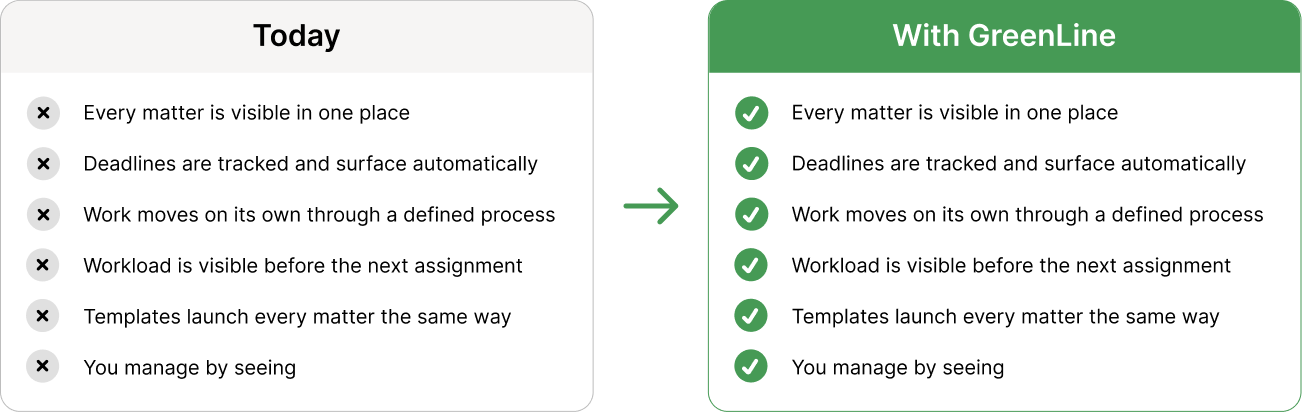
When status lives in people’s heads, deadlines live in inboxes, and delegation requires constant follow-up — you’re not managing a firm. You’re chasing one.
GreenLine gives every matter a clear home, every deadline a clear owner, and every person on your team a clear view of what comes next.
Run your firm with clarity, not guesswork.
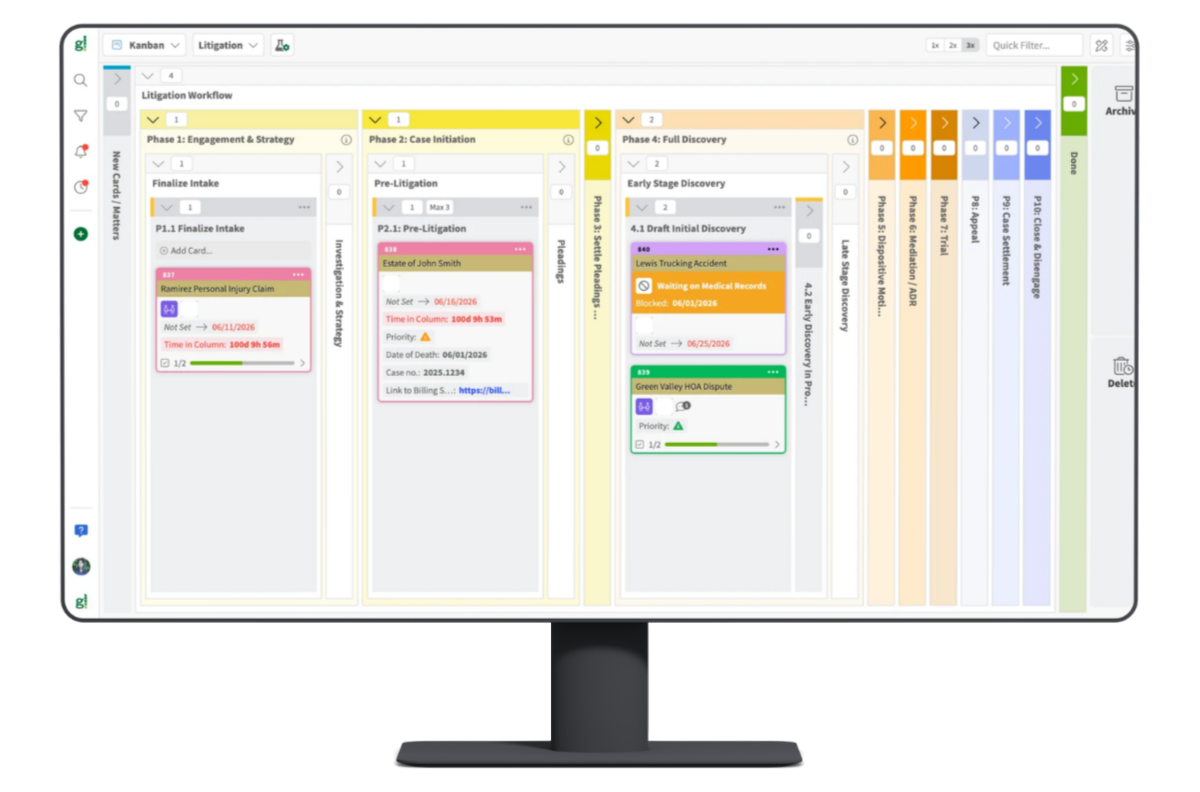
You can’t efficiently run a fragmented firm
- Status lives in conversations.
- Deadlines live in individual calendars.
- Work gets assigned in meetings, tracked in emails, and followed up on in hallways.
- Nothing connects.
- Nothing surfaces automatically.
- You only find out something is behind when the client asks.
GreenLine gives everyone in your firm one system where everything lives together.
- Every matter is visible.
- Every task has an owner.
- Every deadline is tracked.
- Every person knows what they are doing next without anyone asking.
This is not a law practice management system that merely stores information like a redwell. This is a window into how that information simultaneously dynamically lives with everyone in your firm. It is a different way to run a firm.
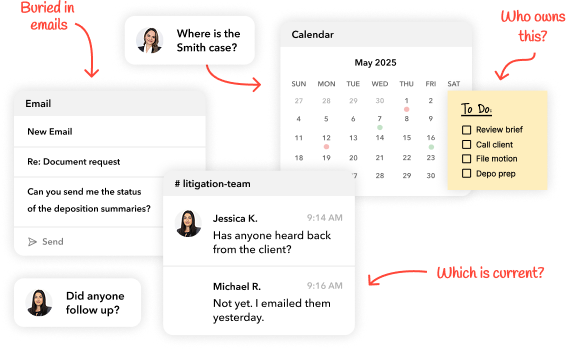
5 things that slow every firm down and the GreenLine features that fix them
What’s happening now
A partner asks. An associate checks email or your practice management software for notes. Status lives in multiple heads and multiple inboxes. By the time you have an answer, 20 non-billable minutes have been lost, and you still are not confident that you are not missing something.
What changes with GreenLine
Work moves through a clear process with visible ownership. You see, when something is done without asking. Your team knows what comes next without waiting to be told.
Features that make this possible:
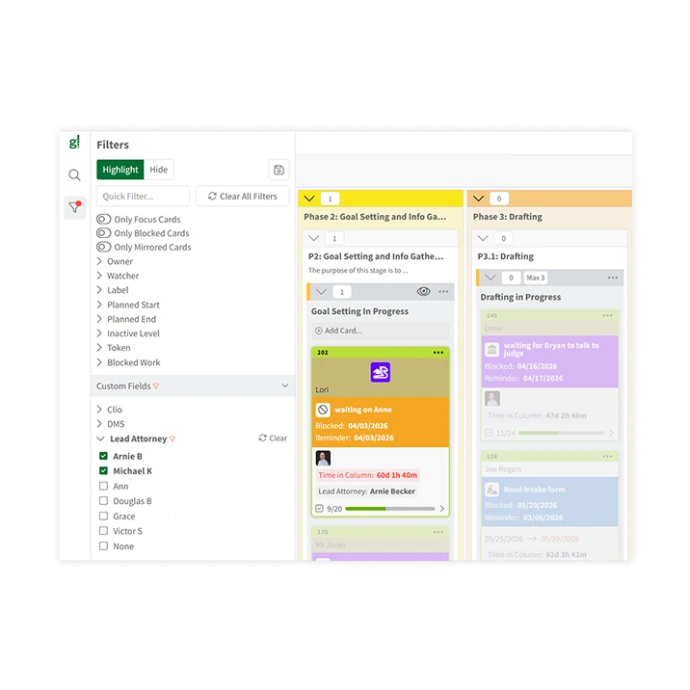 Practice Area Templates
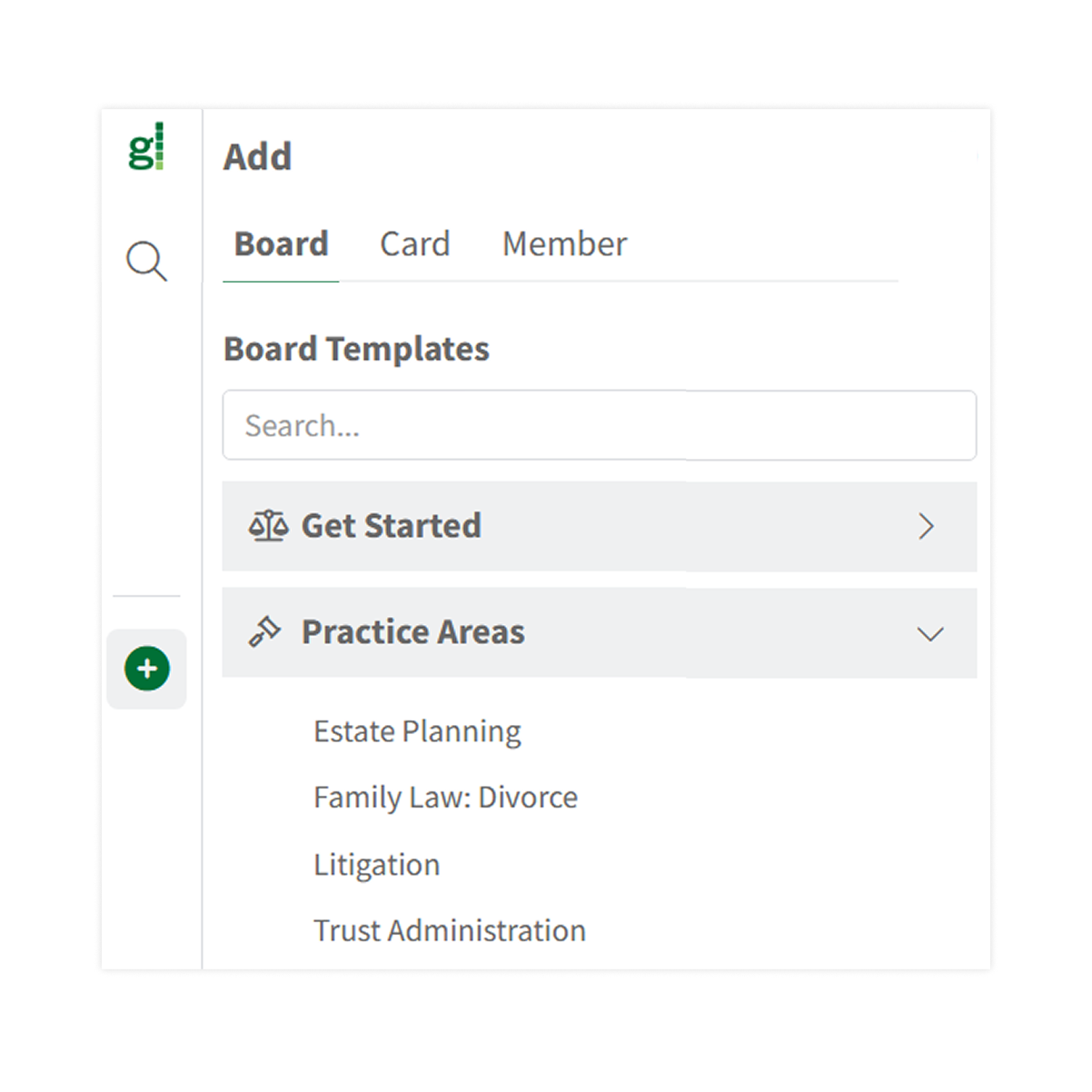
GreenLine comes preloaded with workflow templates for litigation and transactional practices, including estate planning, family law, civil litigation, and more. Each matter lives in the correct stage of your workflow. Add your matters, and you have an immediate view of your entire practice.
Matter Monitoring
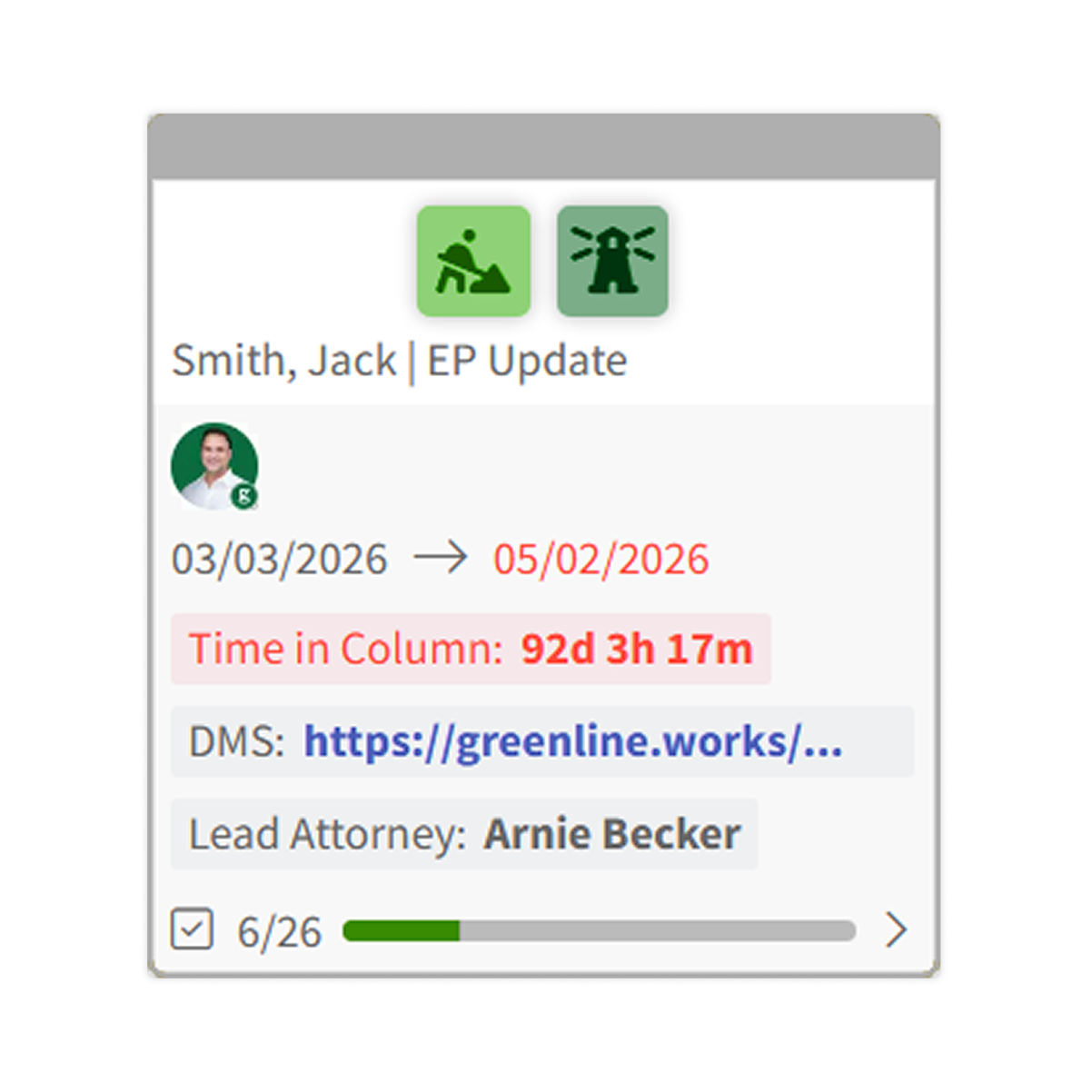
Every matter has a card that holds everything relevant to it: status, tasks, notes, deadlines, documents, and communications … and who is working on it.
One place to see everything about a matter without opening your email or practice management software.
Filtering
See exactly what you need, when you need it. Filter your practice view by matter type, attorney, stage, or any other criteria.
Configure the view in seconds and clear it just as fast, so you’re never scrolling through matters that don’t matter right now.
What’s happening now
Not just court dates, but drafts due to clients, follow-ups that need to happen on Tuesday, corporate filings, tax return deadlines, etc. They live in personal calendars, or matter notes, or, even worse, your memory. You miss a deadline or scramble at the last minute to meet one. Worse yet, your client hounds you for a document you forgot you promised.
What changes with GreenLine
Every matter and every task carries a due date. You see all deadlines across all matters in one place, so you can prioritize your work. You see what is coming before it is a problem. Your team sees it too.
Features that make this possible:
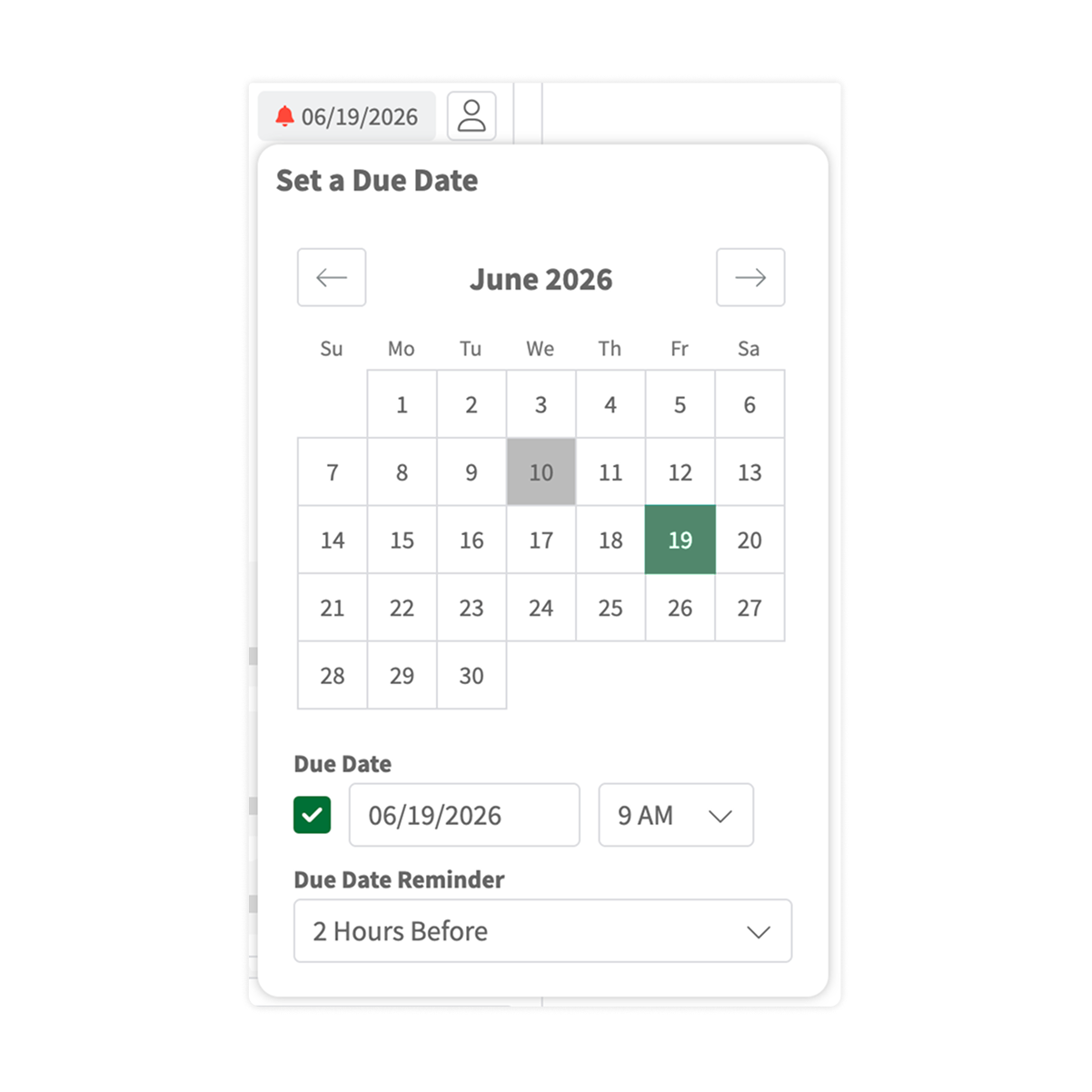
Promise By Dates and Deadline Tracking
Track two types of time commitments separately: deadlines that cannot move and promise-by dates — the internal commitments you make to clients and colleagues. Both are attached to the matter or task they belong to, not to someone’s personal calendar or buried in a practice management system.
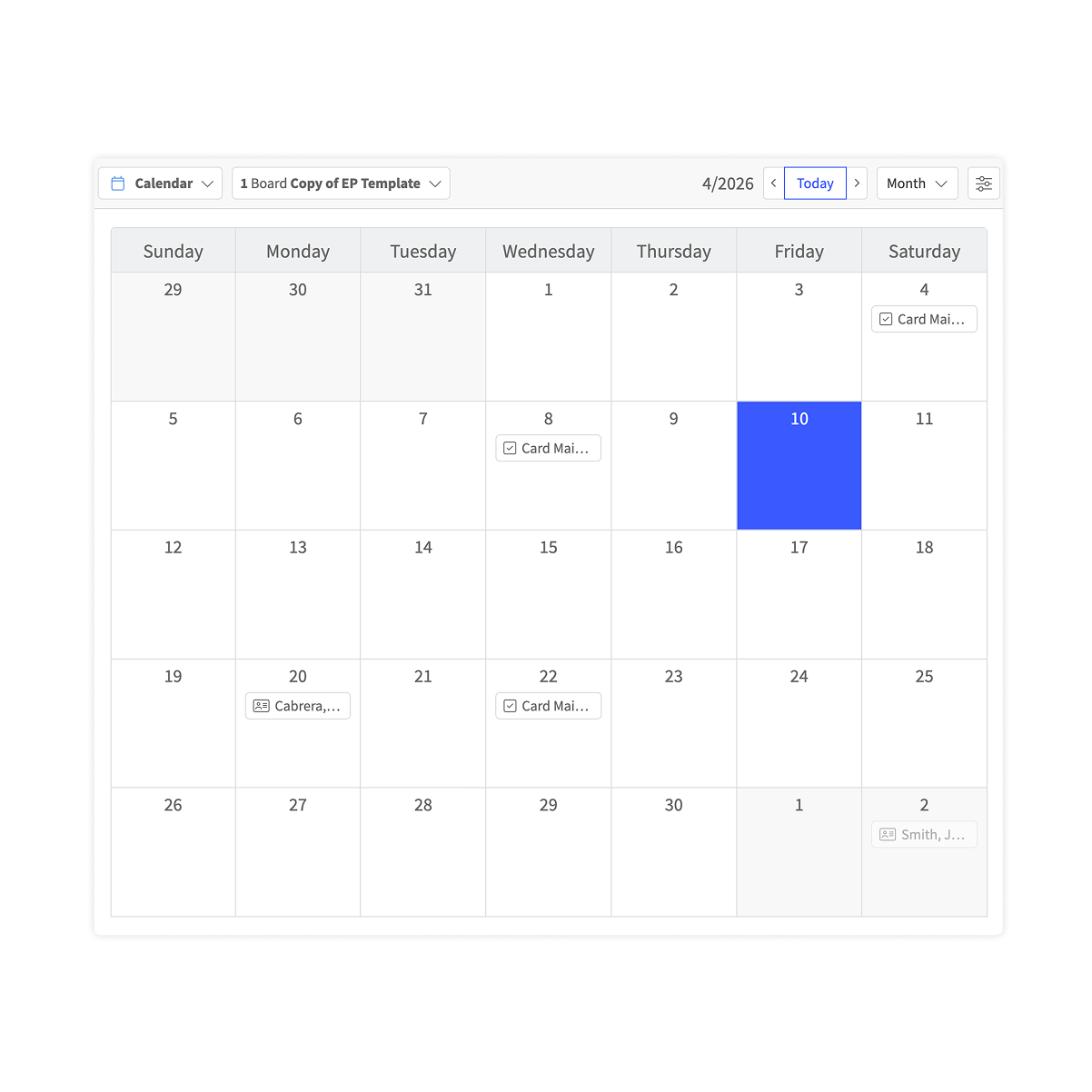
Calendar View
See all upcoming promise-by dates and deadlines in a calendar layout across all matters and all team members. Know what is coming this week, next week, and the week after — without opening a single matter card.
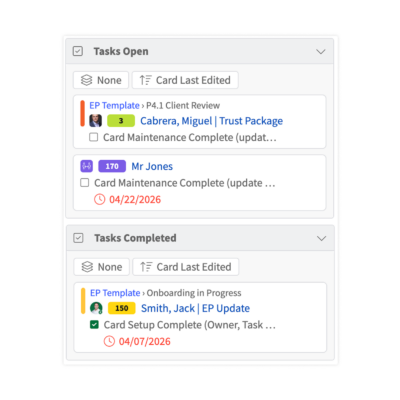
Personal Dashboard
Every person on your team has a personal view of all their open tasks across all matters, with promise-by dates and deadlines for each, all on one screen. Nothing falls through the cracks because it wasn’t on their radar. No time is wasted going matter-by-matter looking for deadlines or promise-by dates.
What’s happening now
You assign work. You follow up. You follow up again. The work gets done, but only because you stayed on top of it. That is not delegation. It’s supervision with extra steps. You feel like it would have been faster to do the work yourself.
What changes with GreenLine
Work moves through a clear process with visible ownership. You see, when something is done without asking. Your team knows what comes next without waiting to be told.
Features that make this possible:
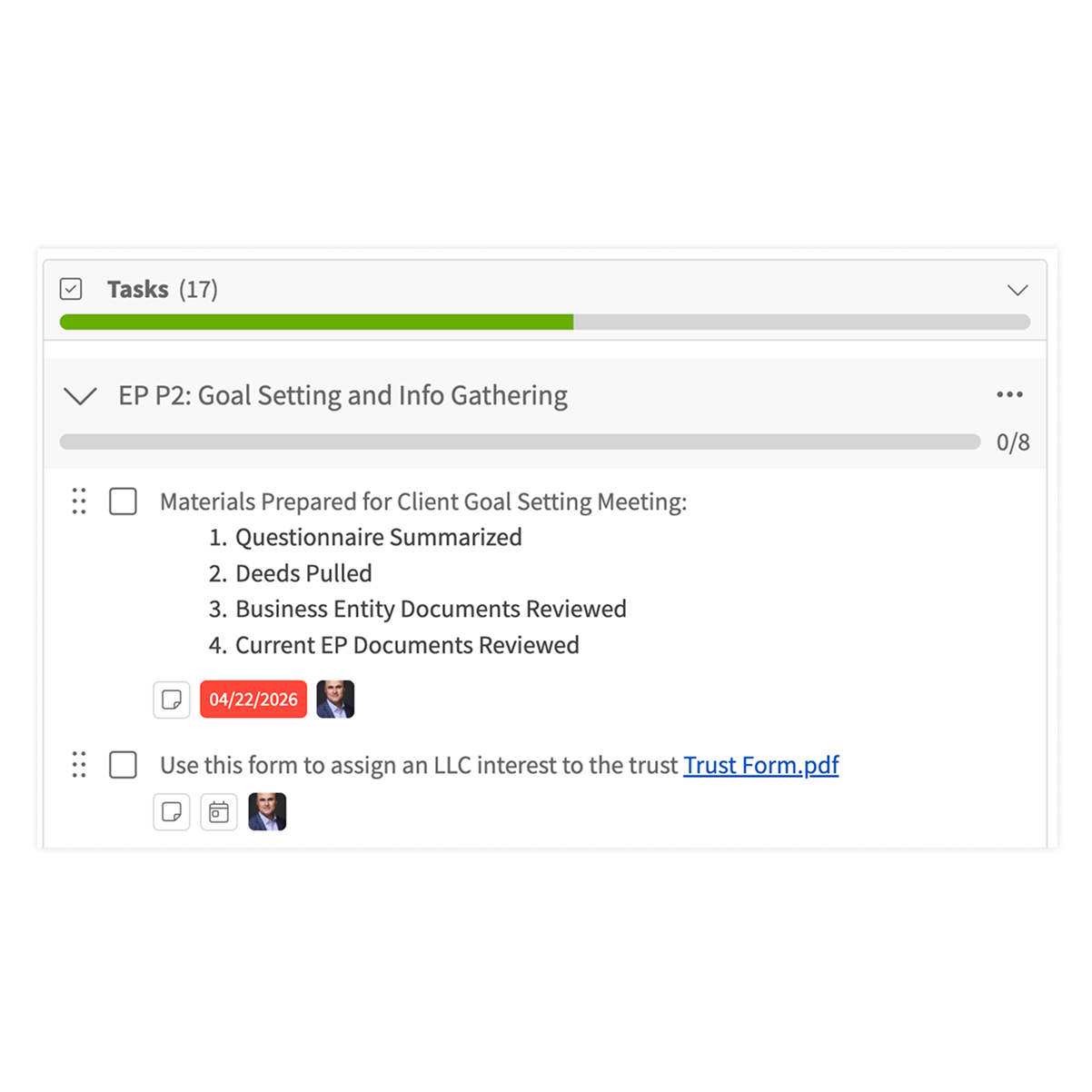
Task Tracking
Every matter has a checklist of tasks with a named owner and a due date for each item. Use GreenLine’s pre-loaded checklists for common practice areas, modify them, or build your own. Add notes directly to any task so instructions, context, or updates stay attached to the work itself, not buried in an email or a comment thread. Your team sees exactly what you want them to do, how you want them to do it, who is doing it, and when it’s due. You don’t need to nag them.
Communications Tracker
Leave matter-level comments directly on a matter card, and task-specific notes directly on a task. No more searching through email threads for context about what happened on a file. Everything a team member needs to know about a matter lives in the matter itself and on the actionable item to be performed.
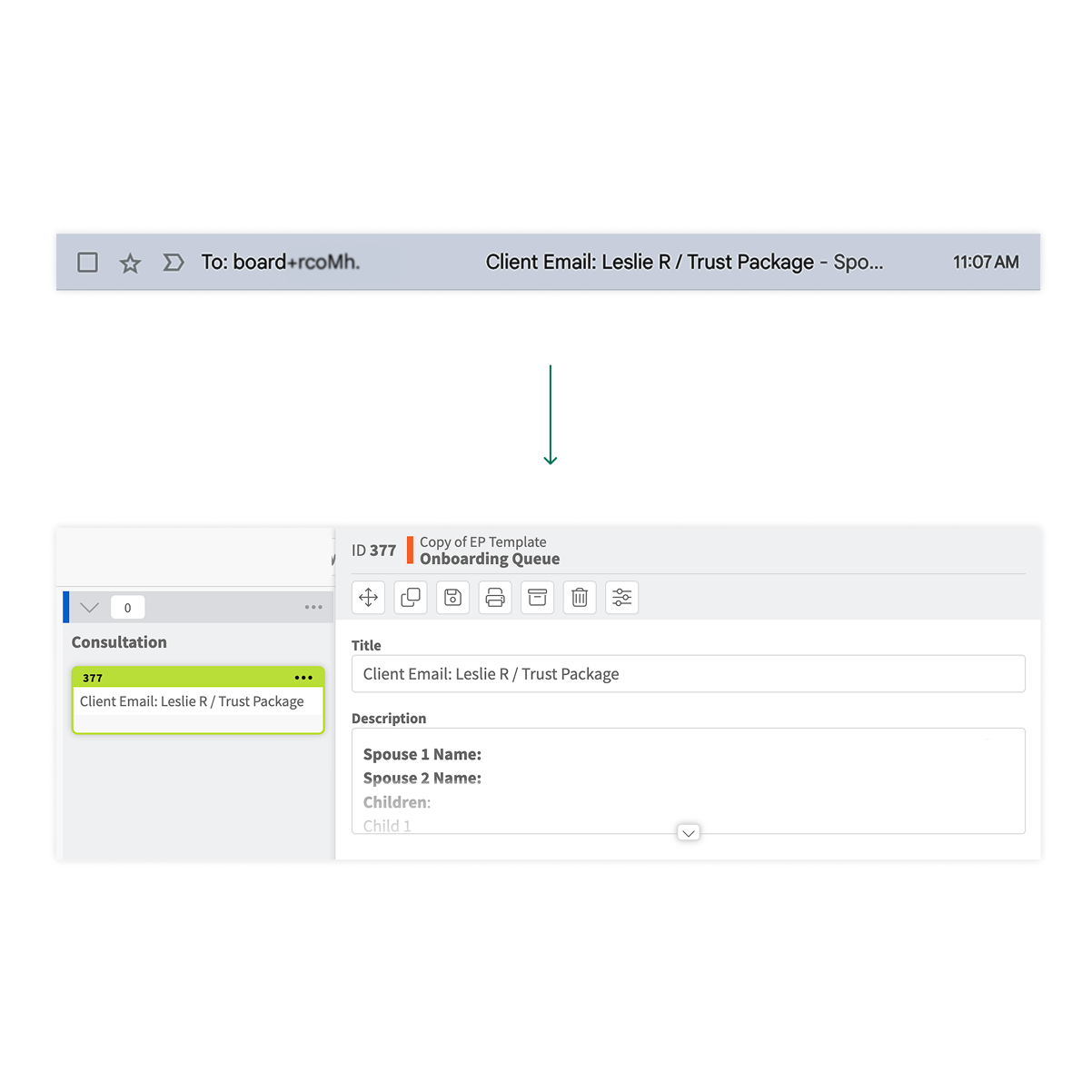
Email to Card
When an email with an action item arrives, forward it to your firm’s GreenLine address. GreenLine creates a tracking card automatically. No need to forward your email to your assistant or associate, asking them to handle it and clogging your inbox with their acknowledgment of receipt. Nothing gets lost between your inbox and your workflow. Everyone sees what needs to be done.
What’s happening now
Some people are buried. Others have room. You don’t know what promise-by date is realistic, if a deadline will be met, and who on your team has capacity.
What changes with GreenLine
You see the workload across your entire team before you make the next assignment. You see who has room, who is stretched, and where there is risk. You can even assign limits for how much work can be assigned to a team member.
Features that make this possible:
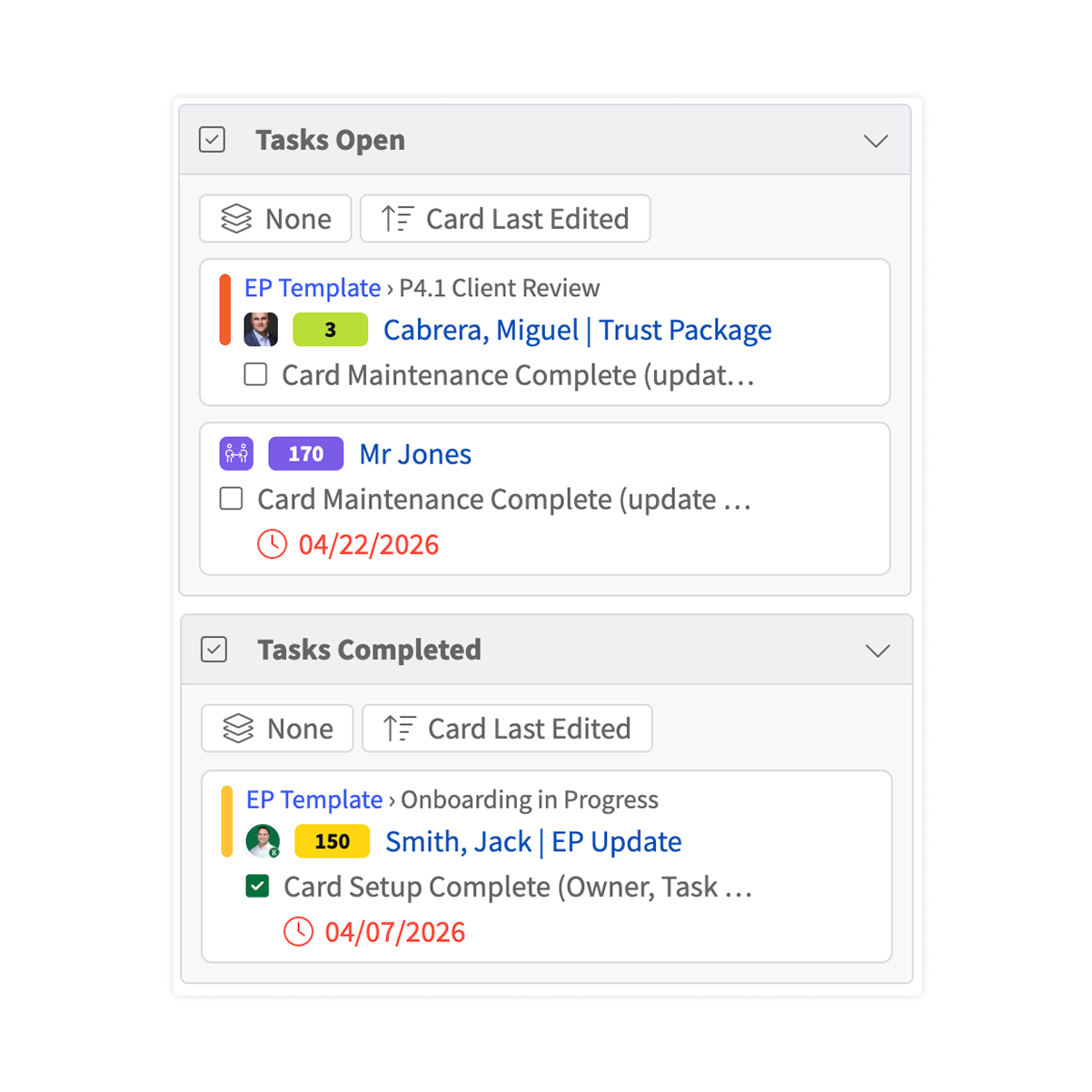
Personal Dashboard
The personal dashboard shows each person’s open tasks and the tasks they have assigned to others. As a manager, you can see what is pending and where things stand across your team without interrupting anyone’s work. Before you assign a new file, you know exactly what they are already carrying.
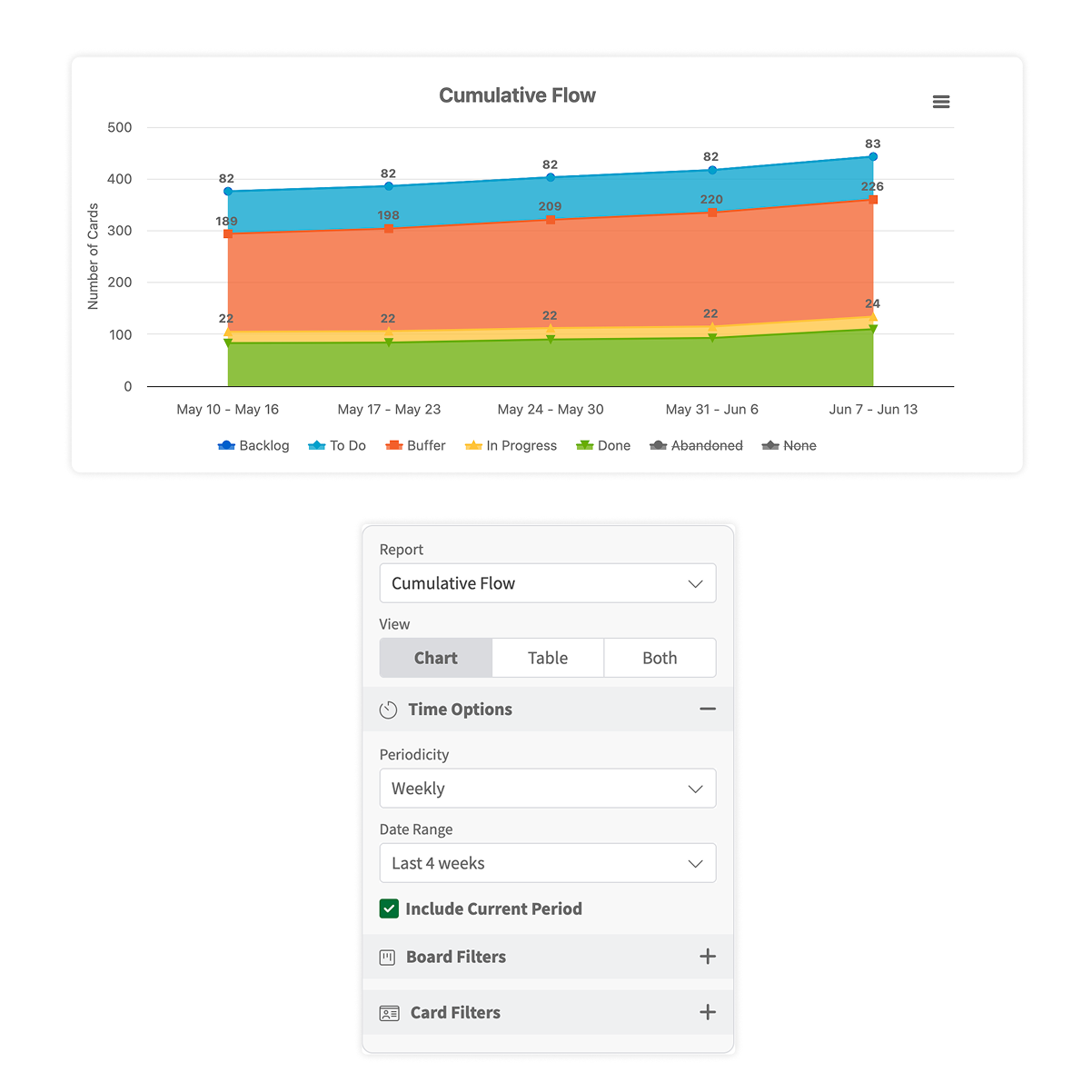
Analytics and Forecasting
See how long specific matter types or phases actually take to complete. Use that data to set realistic timelines, price flat-fee work accurately, and identify where your team’s time is going. Understand capacity not just today, but over time.
What’s happening now
Each new matter is rebuilt from memory. The steps are slightly different every time. Quality depends on who is handling it and what they remember to do. Items fall through the cracks.
What changes with GreenLine
New matters launch with the right workflow already in place. Your team works a proven process, not a reinvented one.
Features that make this possible:
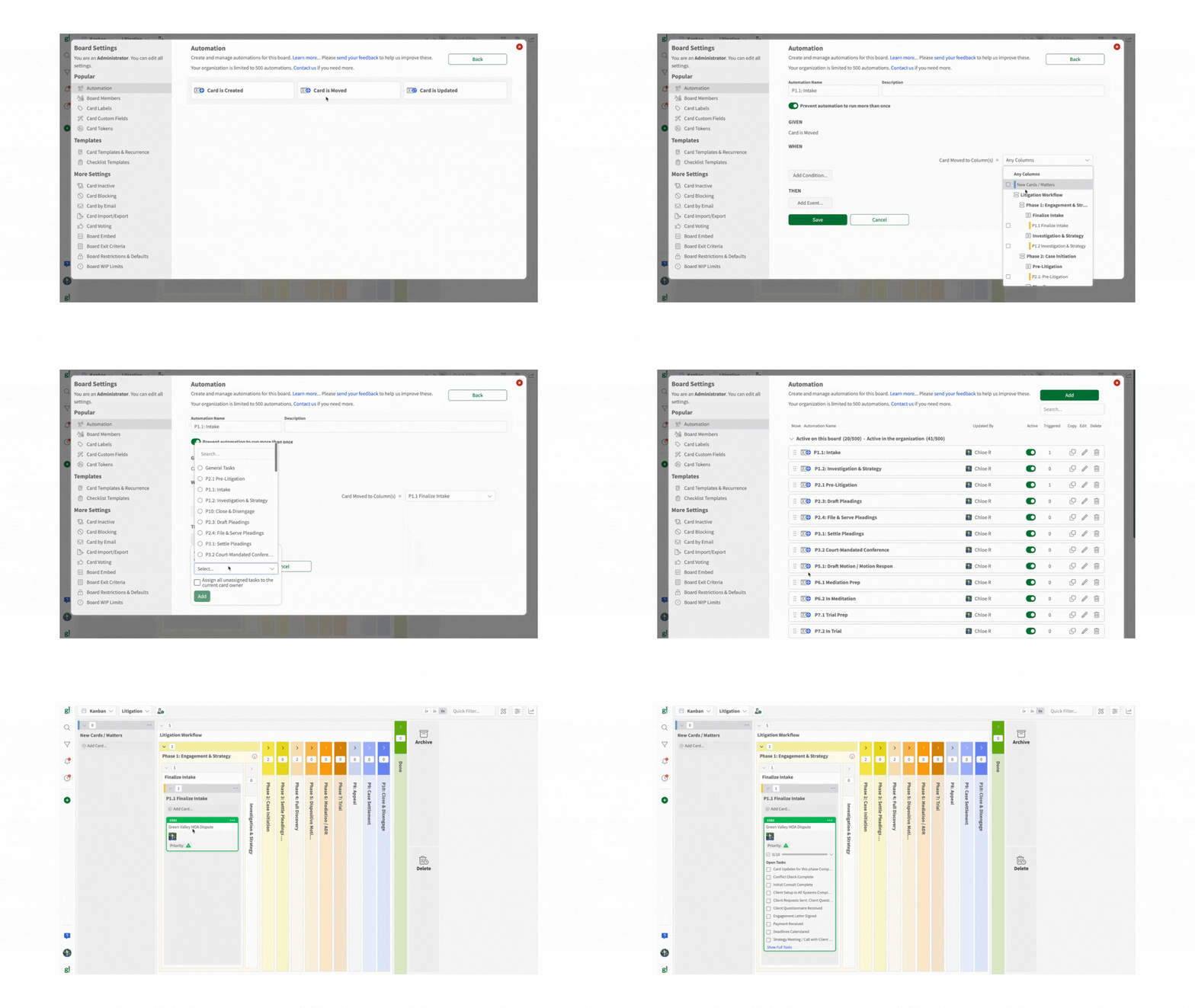
Automations
Stop manually creating the same checklists and calculating the same deadlines every time a new matter opens. Set up automations to create matter cards, assign tasks, calculate and set promise-by dates and deadlines, and more every time you create or move a card.
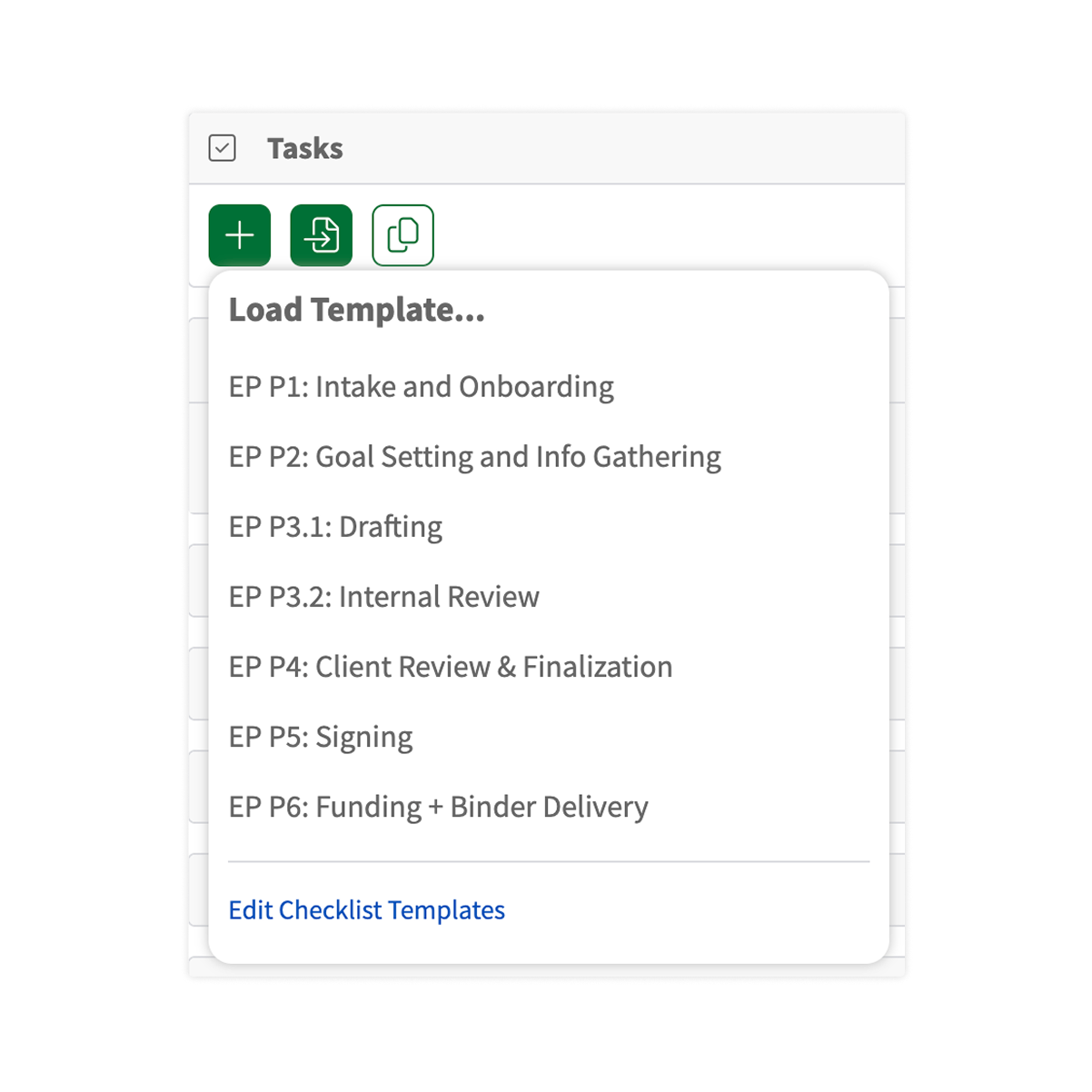
Matter & Checklist Templates
GreenLine includes pre-built checklist templates for common practice areas, including estate planning, family law, civil litigation, and more. Each template defines the standard checklist for each stage. Start with a template, customize it for your firm, and every new matter of that type launches consistently.
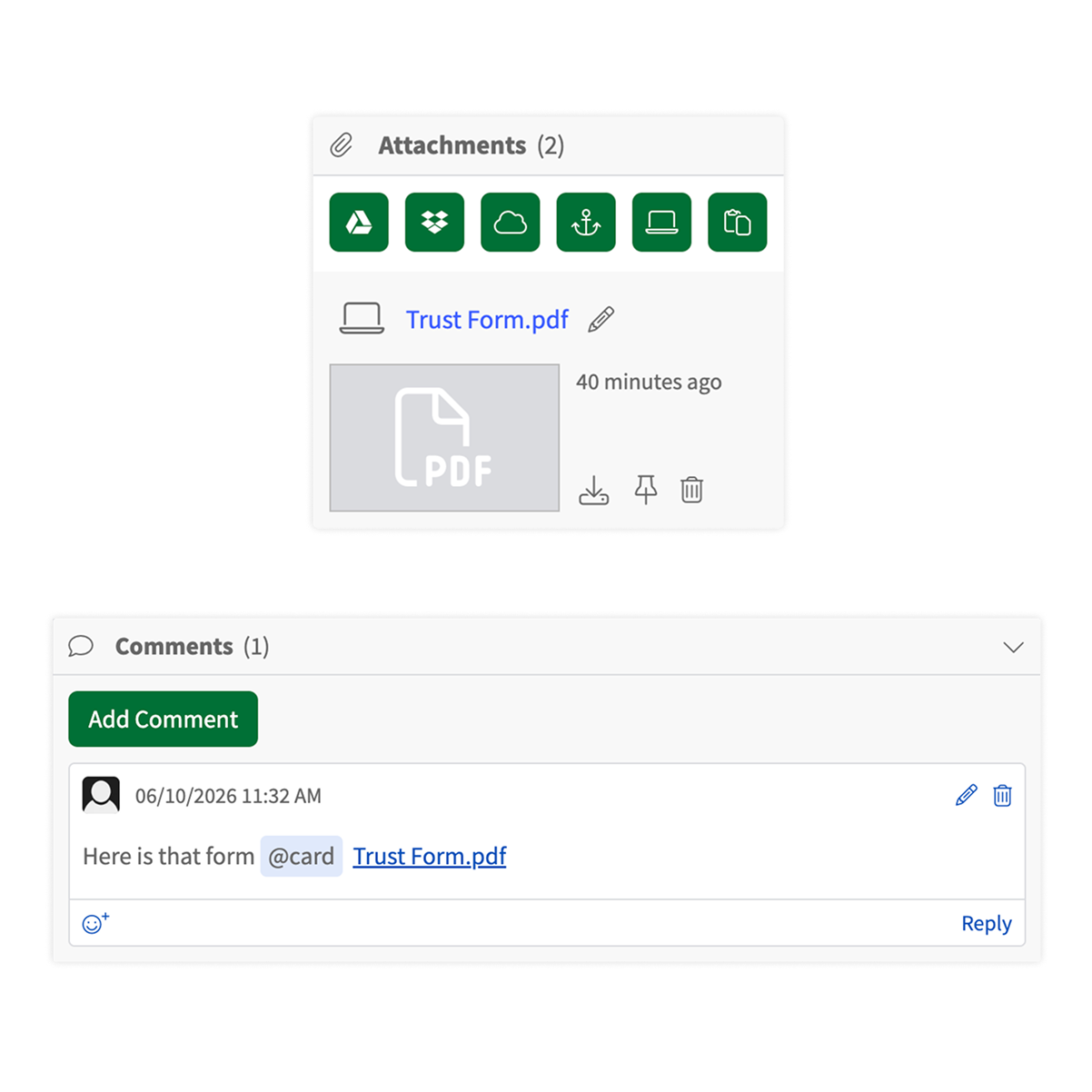
Standardize Your Forms
Link your standard document forms directly to matter cards or checklist items. Every team member uses the same form for the same task. No more hunting for the right template or finding out someone used an outdated version. No more editing a form with a previous client’s information in it.
What’s happening now
A partner asks. An associate checks email or your practice management software for notes. Status lives in multiple heads and multiple inboxes. By the time you have an answer, 20 non-billable minutes have been lost, and you still are not confident that you are not missing something.
What changes with GreenLine
Work moves through a clear process with visible ownership. You see, when something is done without asking. Your team knows what comes next without waiting to be told.
Features that make this possible:
Practice Area Templates
GreenLine comes preloaded with workflow templates for litigation and transactional practices, including estate planning, family law, civil litigation, and more. Each matter lives in the correct stage of your workflow. Add your matters, and you have an immediate view of your entire practice.
Matter Monitoring
Every matter has a card that holds everything relevant to it: status, tasks, notes, deadlines, documents, and communications … and who is working on it.
One place to see everything about a matter without opening your email or practice management software.
Filtering
See exactly what you need, when you need it. Filter your practice view by matter type, attorney, stage, or any other criteria.
Configure the view in seconds and clear it just as fast, so you’re never scrolling through matters that don’t matter right now.
What’s happening now
Not just court dates, but drafts due to clients, follow-ups that need to happen on Tuesday, corporate filings, tax return deadlines, etc. They live in personal calendars, or matter notes, or, even worse, your memory. You miss a deadline or scramble at the last minute to meet one. Worse yet, your client hounds you for a document you forgot you promised.
What changes with GreenLine
Every matter and every task carries a due date. You see all deadlines across all matters in one place, so you can prioritize your work. You see what is coming before it is a problem. Your team sees it too.
Features that make this possible:
Promise By Dates and Deadline Tracking
Track two types of time commitments separately: deadlines that cannot move and promise-by dates — the internal commitments you make to clients and colleagues. Both are attached to the matter or task they belong to, not to someone’s personal calendar or buried in a practice management system.
Calendar View
See all upcoming promise-by dates and deadlines in a calendar layout across all matters and all team members. Know what is coming this week, next week, and the week after — without opening a single matter card.
Personal Dashboard
Every person on your team has a personal view of all their open tasks across all matters, with promise-by dates and deadlines for each, all on one screen. Nothing falls through the cracks because it wasn’t on their radar. No time is wasted going matter-by-matter looking for deadlines or promise-by dates.
What’s happening now
You assign work. You follow up. You follow up again. The work gets done, but only because you stayed on top of it. That is not delegation. It’s supervision with extra steps. You feel like it would have been faster to do the work yourself.
What changes with GreenLine
Work moves through a clear process with visible ownership. You see, when something is done without asking. Your team knows what comes next without waiting to be told.
Features that make this possible:
Task Tracking
Every matter has a checklist of tasks with a named owner and a due date for each item. Use GreenLine’s pre-loaded checklists for common practice areas, modify them, or build your own. Add notes directly to any task so instructions, context, or updates stay attached to the work itself, not buried in an email or a comment thread. Your team sees exactly what you want them to do, how you want them to do it, who is doing it, and when it’s due. You don’t need to nag them.

Leave matter-level comments directly on a matter card, and task-specific notes directly on a task. No more searching through email threads for context about what happened on a file. Everything a team member needs to know about a matter lives in the matter itself and on the actionable item to be performed.
Email to Card
When an email with an action item arrives, forward it to your firm’s GreenLine address. GreenLine creates a tracking card automatically. No need to forward your email to your assistant or associate, asking them to handle it and clogging your inbox with their acknowledgment of receipt. Nothing gets lost between your inbox and your workflow. Everyone sees what needs to be done.
What’s happening now
Some people are buried. Others have room. You don’t know what promise-by date is realistic, if a deadline will be met, and who on your team has capacity.
What changes with GreenLine
You see the workload across your entire team before you make the next assignment. You see who has room, who is stretched, and where there is risk. You can even assign limits for how much work can be assigned to a team member.
Features that make this possible:
Personal Dashboard
The personal dashboard shows each person’s open tasks and the tasks they have assigned to others. As a manager, you can see what is pending and where things stand across your team without interrupting anyone’s work. Before you assign a new file, you know exactly what they are already carrying.
Analytics and Forecasting
See how long specific matter types or phases actually take to complete. Use that data to set realistic timelines, price flat-fee work accurately, and identify where your team’s time is going. Understand capacity not just today, but over time.
What’s happening now
Each new matter is rebuilt from memory. The steps are slightly different every time. Quality depends on who is handling it and what they remember to do. Items fall through the cracks.
What changes with GreenLine
New matters launch with the right workflow already in place. Your team works a proven process, not a reinvented one.
Features that make this possible:
Matter & Checklist Templates
GreenLine includes pre-built checklist templates for common practice areas, including estate planning, family law, civil litigation, and more. Each template defines the standard checklist for each stage. Start with a template, customize it for your firm, and every new matter of that type launches consistently.
Automations
Stop manually creating the same checklists and calculating the same deadlines every time a new matter opens. Set up automations to create matter cards, assign tasks, calculate and set promise-by dates and deadlines, and more every time you create or move a card.
Standardize Your Forms
Link your standard document forms directly to matter cards or checklist items. Every team member uses the same form for the same task. No more hunting for the right template or finding out someone used an outdated version. No more editing a form with a previous client’s information in it.
Our Impact
Legal teams adopting Agile methods have experienced the following results.
50%
less time spent in case management meetings
30%
faster matter resolution
145%
growth in revenue per lawyer
Built for how law firms actually work
GreenLine is designed to flex around your firm — not the other way around.
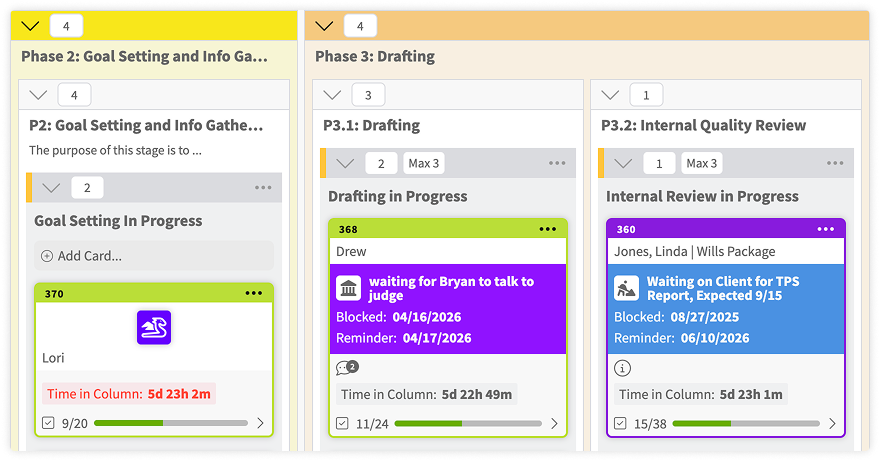
Waiting on a client to continue drafting? Need opposing counsel to respond to a settlement offer? Need a partner to approve a draft before it is sent? Blockers visually flag a matter and prevent your team from moving it forward until the issue is resolved. Tokens let you tag and categorize matters.
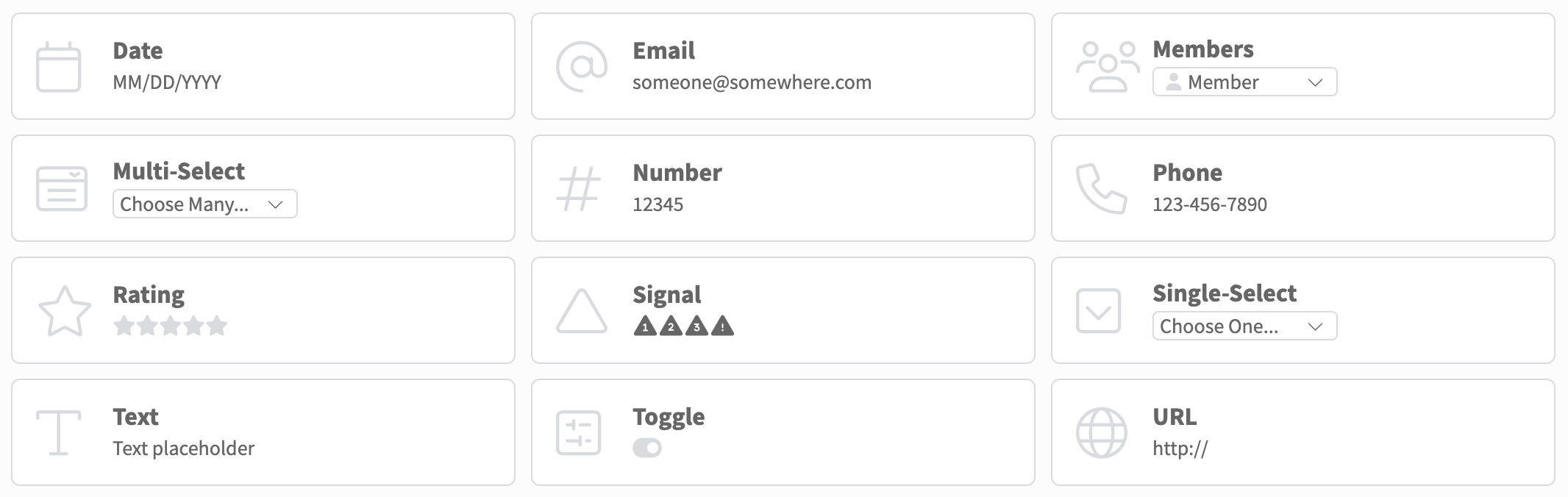
Every firm tracks something specific to its practice. Custom fields let you add exactly the data you need to any matter card — links to your practice management system, practice-specific codes, dates of death, client details, fee structures, or anything else your team needs to see at a glance at the matter level.
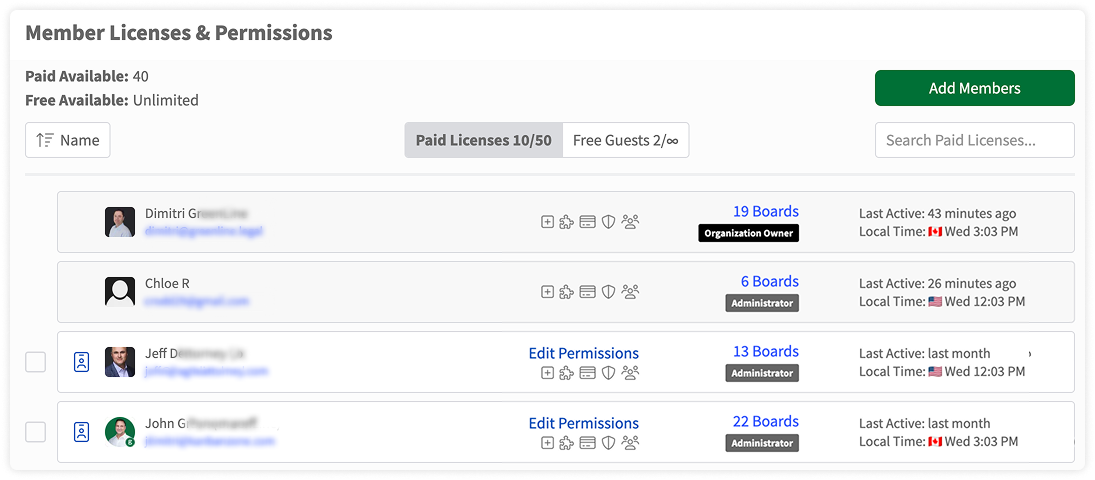
Control who can do what inside GreenLine. Assign each user to a team and set access levels for each team for creating templates, viewing matters, managing checklists, and more. Works for full staff, contractors, co-counsel, and even clients with limited access.
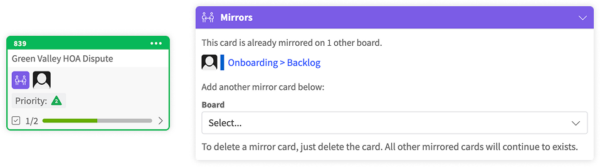
If your firm has multiple offices or practice areas with overlapping work, GreenLine can mirror cards and connect practice views across them. Coordinate inter-office matters and shared workflows without duplicating effort or losing visibility.
Connect GreenLine to the tools your firm already uses. GreenLine integrates with Clio, MyCase, PracticePanther, Smokeball, Google Drive, Dropbox, OneDrive, and more without requiring any coding. Import existing matters from another system and go live immediately.
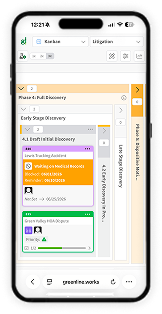
GreenLine works on any device. Check the status of a matter from your phone between meetings. Review your team’s workload on a tablet. Collaborate on a large screen in a conference room. Your firm runs wherever you are.
Waiting on a client to continue drafting? Need opposing counsel to respond to a settlement offer? Need a partner to approve a draft before it is sent? Blockers visually flag a matter and prevent your team from moving it forward until the issue is resolved. Tokens let you tag and categorize matters.
Every firm tracks something specific to its practice. Custom fields let you add exactly the data you need to any matter card — links to your practice management system, practice-specific codes, dates of death, client details, fee structures, or anything else your team needs to see at a glance at the matter level.
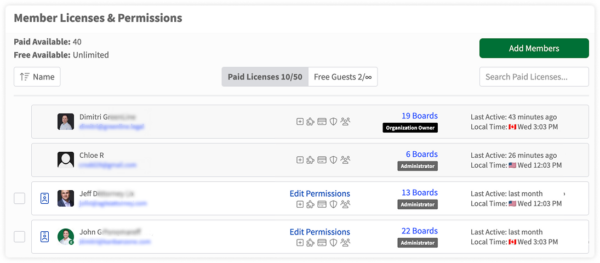
Control who can do what inside GreenLine. Assign each user to a team and set access levels for each team for creating templates, viewing matters, managing checklists, and more. Works for full staff, contractors, co-counsel, and even clients with limited access.
If your firm has multiple offices or practice areas with overlapping work, GreenLine can mirror cards and connect practice views across them. Coordinate inter-office matters and shared workflows without duplicating effort or losing visibility.
Connect GreenLine to the tools your firm already uses. GreenLine integrates with Clio, MyCase, PracticePanther, Smokeball, Google Drive, Dropbox, OneDrive, and more without requiring any coding. Import existing matters from another system and go live immediately.
GreenLine works on any device. Check the status of a matter from your phone between meetings. Review your team’s workload on a tablet. Collaborate on a large screen in a conference room. Your firm runs wherever you are.
Trusted by Forward-Thinking Legal Teams



GreenLine runs on top of your other software, so you can run your practice from one place
Your current software replaces paper files – it stores your client notes, communications, billing, etc. The tools are good at what they do, but they do not do enough.
What none of them show you is how the work is being completed on a matter – the last time someone touched the Henderson estate matter, who is working on the Jones file today, what tasks need to be completed on the Smith brief before Thursday, or whether your paralegal has room to complete a new estate plan by Friday.
That is the gap GreenLine fills. It runs the work itself — how matters move through your process, who owns each step, what is due and when, the quality outcome expected before the work is delivered, whether your team has the capacity for what is coming, and when it will get done, what is currently in the mix.
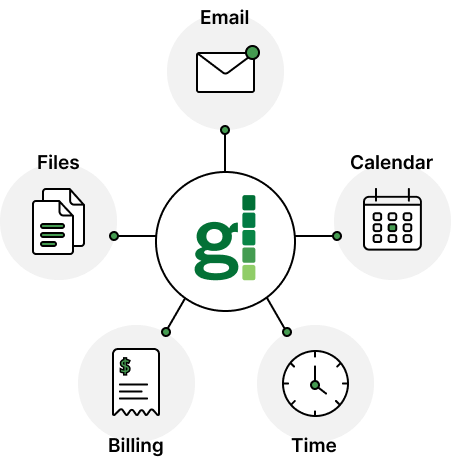
How it works alongside your current tools
Tasks are assigned, deadlines and promise-by dates set, and your team gets to work. The responsible paralegal knows what to do and what form to use. The supervising partner sees that the matter is active and moving — or stuck — without asking anyone.
When the draft is ready for review, it moves to the next step in the workflow. Matter notes stay inside GreenLine. Link GreenLine to your other software to easily input your time or find a document. Nothing falls into the gap between two people’s inboxes.
And when you’re done with a matter, easily print the matter’s entire history (who did what and when) and save it to your practice management system for archival purposes.
GreenLine connects to your other software through Zapier and Make. It does not replace them.
Works with Dropbox, Google Drive, OneDrive for file attachments, plus Zapier and Make to connect to Clio, MyCase, PracticePanther, and hundreds of other tools.

Use GreenLine without AI, or connect your own at your convenience.
Either way, you completely control how AI is used and where your data lives.
Your clients, your cases, and your reputation are not things you delegate to a black box. Don’t hope that the software you are using is keeping your data safe.
Instead of forcing a built-in AI on your firm, GreenLine lets you connect the AI tools you already use and trust. Keep your data inside systems you control. Assign AI to specific steps in your workflow — preparing intake checklists, summarizing activity on a matter, drafting internal notes — and nowhere else.
Every AI action you bring to GreenLine is visible, tied to a specific step in your process, and triggered only when you decide. Your AI supports your workflow.
No black boxes. No surprises. No risk you did not choose.
Run your firm with clarity, not guesswork
See every matter without asking anyone. Stay ahead of deadlines. Delegate without friction. Know who has capacity before it becomes a problem.
GreenLine gives you the system your firm needs to stop being reactive and start being in control.
No pressure. Bring your real matters. We will show you exactly what changes.
Frequently Asked Questions
Have questions about GreenLine? You’re not alone. Below are answers to some of the most common questions we hear from teams exploring how GreenLine fits into their existing workflows, systems, and day-to-day operations. If you don’t see what you’re looking for, we’re always happy to talk.